 SUPPORT


 3EX United States
 Blog
What if the safest route for a critical legacy application isn’t a full cloud rebuild? When a system depends on ageing infrastructure, specialist knowledge, or tightly connected databases, the right managed cloud for legacy applications depends on more than where it runs. You also need to understand what it connects to, how it performs under real workloads, and who is responsible for each part of operating and protecting it.
It’s reasonable to be cautious. A migration can affect business operations, connected systems, and data, while cloud costs, software licensing, and service responsibilities can be difficult to compare. Moving before you understand those constraints may simply shift existing problems into a new environment. Start by documenting the application’s dependencies and operating requirements, then compare hosting paths against those facts.
This guide helps you assess whether a legacy workload is ready for cloud and compare practical paths: rehosting, replatforming, refactoring, replacing, or retaining it. You’ll learn how to weigh application dependencies, performance needs, continuity planning, licensing, cost governance, and operational responsibilities. Use the guidance to identify a suitable hosting and modernization approach, reduce migration risk, and build a phased evaluation plan that reflects your application and business requirements.
Key Takeaways
- Match the hosting approach to each application’s dependencies, performance needs, and operating constraints rather than moving every workload the same way.
- Compare rehosting, replatforming, refactoring, replacing, and retaining to understand the trade-offs in effort, dependency risk, and long-term flexibility.
- Assess whether managed cloud for legacy applications, hybrid operation, or colocation best fits the workload’s connectivity, latency, and data-location needs.
- Use a structured readiness process to uncover licensing, data quality, security, and integration risks before migration begins.
- Define provider and application-owner responsibilities, escalation processes, reporting, and disaster recovery expectations before choosing a managed-service model.
What Managed Cloud for Legacy Applications Actually Means
Managed cloud combines cloud infrastructure with agreed operational management. Rather than handling every infrastructure task internally, an organization assigns specific responsibilities to a service provider. The scope may cover tasks such as provisioning resources, monitoring infrastructure, applying infrastructure updates, or coordinating incident response. These are examples to define in the service arrangement, not assumptions to make from the term “managed cloud.” Document what is covered, what is excluded, and which team owns each task.
A legacy application is a business system built on older technology, dependencies, or operating assumptions that may no longer align with current platforms and support arrangements. “Legacy” describes its technical and operational context, not whether it works or delivers value. A system can remain reliable and essential even as the people who understand it become harder to find.
What makes an application legacy?
An application may rely on an older operating system, a specialized database, a particular hardware configuration, or development skills that are now uncommon. Documentation may be incomplete, and routine changes may depend on a small group of experienced staff. None of these factors alone proves the application is failing. Together, they can make maintenance and infrastructure decisions more complex.
Business importance often outlasts the assumptions behind the original design. A system created for one department may now exchange data with reporting tools, customer platforms, or other services. Some connections may be undocumented, such as scheduled file transfers or an application that depends on a specific database response. Map these dependencies before changing hosting so you can identify which systems, teams, and processes could be affected. Software modernization, also known as legacy modernization, often involves migrating legacy applications to cloud platforms.
What managed cloud changes, and what it does not
Moving an application changes where its computing resources run. Modernizing it changes how it is built, maintained, or integrated. Replacing it changes the application itself or the business functionality it provides. These are separate decisions. A workload can move to cloud infrastructure without a code rewrite, but the move does not automatically remove technical debt or update unsupported components.
Managed cloud for legacy applications can shift agreed infrastructure operations to a provider, while application ownership and business decisions remain with the organization unless the service arrangement explicitly says otherwise. Application owners typically decide how the system should behave, approve functional changes, and explain its business purpose. The provider’s responsibilities should be defined as specific operational tasks, not left as a broad promise to “manage” the environment.
Before moving a workload, document the boundary: who manages infrastructure, who maintains the application, how incidents are escalated, and who coordinates testing or recovery. Then validate compatibility, performance, and dependencies in the target environment. Managed services can provide a defined operational model, but they don’t guarantee that every application will run unchanged or that migration alone will modernize it. Treat the hosting move, code strategy, and application’s future role as related but distinct decisions.
Compare Legacy Application Paths: Rehost, Replatform, Refactor, or Retain
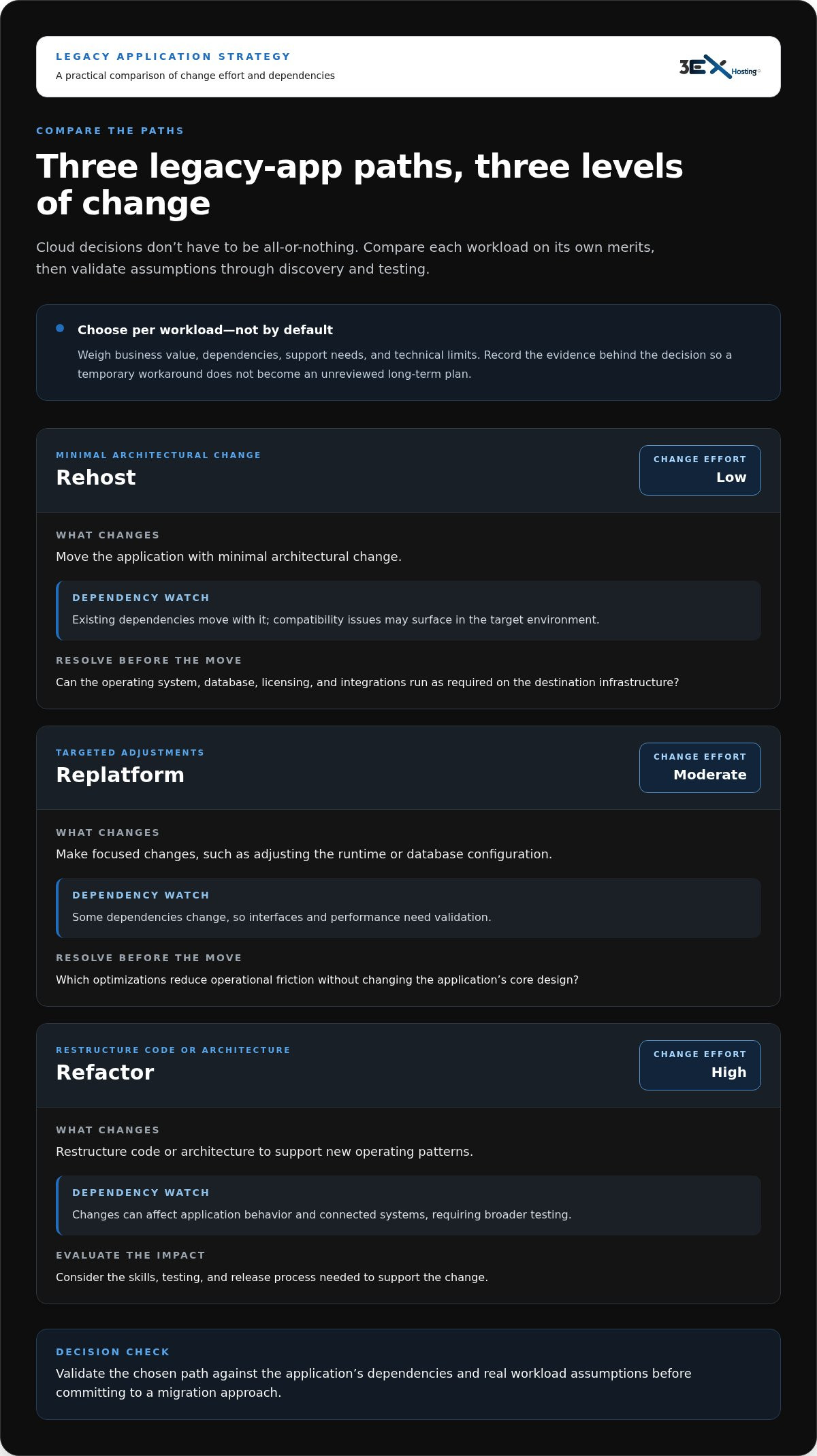
Cloud decisions don’t have to be all-or-nothing. One application may be suitable for a straightforward move, while another needs code changes or should remain where it is for now. Compare each workload on its own merits, including business value, dependencies, support needs, and technical limits. Record the evidence behind the decision so a temporary workaround doesn’t become an unreviewed long-term plan.
The right path depends on constraints, dependencies, and business value. Use this matrix to frame the decision, then validate assumptions through workload discovery and testing.
| Path | Change effort | Dependency risk | Operational question to resolve |
|---|---|---|---|
| Rehost | Low. Move the application with minimal architectural change. | Existing dependencies move with it; compatibility issues may surface in the target environment. | Can the operating system, database, licensing, and integrations run as required on the destination infrastructure? |
| Replatform | Moderate. Make targeted changes, such as adjusting the runtime or database configuration. | Some dependencies change, so interfaces and performance need validation. | Which optimizations reduce operational friction without changing the application’s core design? |
| Refactor | High. Restructure code or architecture to support new operating patterns. | Changes can affect application behavior and connected systems, requiring broader testing. | Can the organization support the skills, testing, and release process needed to maintain the revised application? |
| Replace | High. Select or build a different application and transition business processes and data. | Data conversion, user workflows, and integrations all need careful coordination. | Does a replacement meet the required business functions, and how will the transition be controlled? |
| Retain | Low immediate change. Keep the workload in its current environment. | Existing infrastructure and support dependencies remain in place. | How will the application be supported, protected, and reviewed while a longer-term plan is developed? |
When a lower-change migration may fit
Rehosting may suit a stable application with a clear near-term need to move infrastructure, especially when a rewrite would add risk without immediate business value. It still needs due diligence. Confirm operating-system support, software licensing terms, latency-sensitive connections, and integrations with systems that will stay in place. Use discovery and testing to establish compatibility, then compare expected behavior with the current environment. Don’t assume the application will perform identically after the move.
When modernization, replacement, or retention deserves consideration
Consider broader change when an application can’t meet current business needs, depends on unsupported components, or is costly to change safely. Separate the immediate hosting decision from the longer modernization roadmap: a workload might move with limited changes while a replacement is planned and tested. Retention can also be a deliberate interim choice when dependencies are unclear or a transition needs more preparation. Set review conditions, such as a support milestone or completed dependency analysis, so “keep it for now” doesn’t become an unexamined permanent decision.
Different workloads in the same portfolio can follow different paths. For each application, record the selected path, the assumptions behind it, the unresolved risks, and the next decision point. Where a workload needs to remain tied to physical infrastructure, explore data center infrastructure options as part of the comparison.
Compare Cloud, Hybrid, and Colocation for Legacy Workloads
Choose an environment around the workload’s technical and operating requirements, not a general preference for one infrastructure model. Connectivity, latency, data location, and dependencies on neighboring systems can determine whether an application can move cleanly or should remain close to existing infrastructure. Managed cloud, hybrid operation, and colocation each offer a different balance of management and control.
- Managed cloud: Assess this when the application can run in a cloud environment and the organization wants infrastructure paired with ongoing management. The provider’s defined responsibilities shape the operating model. Application compatibility, licensing, performance, and external connections still need validation.
- Hybrid operation: Useful when some components can move while others must remain in their current environment. For example, an application might use cloud infrastructure while exchanging data with a database or physical system that stays in place. The network path between environments, including its latency and resilience, becomes a key dependency.
- Colocation: A physical infrastructure option for workloads that need to run on equipment in a data center environment, perhaps because of hardware, network, or system-coupling requirements. It is a different model from managed cloud and isn’t automatically included with cloud management. Define separately who handles equipment operations and application support.
For a managed cloud for legacy applications decision, compare the whole workload, not just its server. Map data flows, peak usage, required response times, and the systems that must communicate with it. Also account for data-location requirements and how teams will coordinate operations across environments. These checks can rule out an otherwise attractive architecture. For example, moving an application while leaving a frequently queried database behind may introduce latency that affects ordinary user tasks.
When a cloud-first approach may fit
A cloud-first path may be worth evaluating when an application’s resource needs change, its infrastructure can be supported in the target environment, and its connected systems can communicate reliably from there. Consider whether the operating model matches internal skills and responsibilities, too. Validate operating-system and software requirements, licensing, data transfer, latency, and integration behavior through discovery and testing. Compare expected resource use and management scope with the current environment; cloud adoption alone doesn’t guarantee lower costs or better performance.
When hybrid or colocation belongs in the comparison
Hybrid or colocation deserves attention when an application depends on physical systems, specialized equipment, predictable network paths, or other workloads that are difficult to move together. Colocation provides space for physical infrastructure in a data center; it does not, by itself, provide cloud management or application maintenance. Cabinet, cage, and private-suite options describe physical space arrangements, not application operations. Review data center infrastructure as a distinct part of the architecture decision.
Control also has practical boundaries. Physical access to equipment by the customer is strictly prohibited. Equipment-related access is controlled and requires prior written notice and a 3EX member present during business days from 8:00 a.m. to 5:00 p.m.; emergency access outside those hours is subject to an emergency hourly rate. 3EX may require identification, fingerprints, and photos for individuals accessing the premises. Operating procedures must account for these rules. Don’t assume colocation includes equipment management, application maintenance, or cloud services. Document who coordinates changes, handles incidents, and maintains dependencies across physical and cloud environments.
Assess Readiness and Reduce Legacy Cloud Migration Risk
A dependable migration plan starts with evidence, not a target date. Assess the application, its connections, and the operating model before committing to a destination. This sequence helps uncover hidden dependencies early and gives teams clear decision points before production changes begin.
- Inventory the workload. Record its business purpose and criticality, accountable application and business owners, current platform, software versions, data stores, interfaces, and support arrangements. Note licensing terms and any restrictions that could affect hosting or migration.
- Map dependencies and data flows. Identify upstream systems that supply data and downstream systems that consume it. Include scheduled jobs, file transfers, authentication services, network paths, and manual steps. Confirm the map with the teams responsible for connected systems. This helps reveal which connections and owners must be included in planning and testing.
- Assess data, security, and platform readiness. Check data quality, volume, formats, and known inconsistencies. Document security requirements, access controls, sensitive data flows, and required protections. Compare the target environment with application, operating-system, database, and licensing constraints. Record unresolved assumptions rather than treating them as confirmed compatibility.
- Design and test the migration. Define test cases for representative user workflows, integrations, data integrity, and expected performance. Use a non-production environment where practical, and include business users who understand normal and exception scenarios. Capture defects, decisions, and retest results so unresolved issues are visible before cutover.
- Agree on continuity and cutover criteria. Set recovery objectives for the workload, including acceptable recovery time and data loss, and document how recovery will be coordinated. Establish measurable cutover conditions, rollback triggers, decision authority, and the person who can stop the change. Application stakeholders should approve these criteria before production cutover.
- Complete operational handover. Document monitoring expectations, escalation routes, access responsibilities, routine tasks, and known limitations. Confirm which duties belong to the managed-service provider and which stay with application owners. Make sure the support team has current diagrams, runbooks, and contact paths before the workload enters normal operation.
Build an application and dependency inventory
A useful inventory connects technical facts to business accountability. Name an owner for each workload who can explain its purpose, approve testing, and accept the outcome. Trace interfaces in both directions, then confirm them with the teams responsible for connected systems. Capture licensing and support constraints alongside the inventory so they inform the hosting decision rather than appearing late in implementation. If nobody can confirm a dependency, record it as an open risk and include it in testing.
Test continuity, security, and operational handover
Testing should prove more than whether the application starts. Validate data integrity, user tasks, integrations, access controls, and behavior under expected demand. Define success and failure thresholds in advance. A business owner should accept the tested workflow, while technical leads verify recovery procedures and operational teams confirm escalation responsibilities. Treat managed cloud for legacy applications as an operating model that requires shared ownership, not as a transfer of every application responsibility to the provider.
Use these findings to shape a workload-specific service evaluation and continuity plan. Explore managed cloud services for enterprise IT environments as part of that evaluation.
Choose a Managed Cloud Partner for Legacy Applications
A strong partner evaluation is specific to the workload. Look beyond a general promise to “manage the cloud” and assess how the service will support your application, its operating requirements, and the teams that depend on it. For managed cloud for legacy applications, clarity on scope is essential: infrastructure operations and application ownership are related, but they aren’t automatically the same responsibility. Organizations often lean on external technology consulting and IT network administration from providers like uptimeco.com to evaluate infrastructure needs and define these operational boundaries.
Questions that reveal service fit
Use the application inventory and recovery requirements to make discussions concrete. Ask for a service scope that maps to actual operational tasks, not broad labels. Then document the answers so technical teams, application owners, and business stakeholders share the same expectations.
- Which infrastructure tasks are covered, and which remain with your team?
- How will the provider communicate operational issues, and what escalation path applies to each type of incident?
- What workload information is needed during discovery, and how will assumptions or dependencies be recorded?
- How will service activity and operational status be reported, and who receives those reports?
- How does continuity planning align with the application’s documented recovery objectives, and who coordinates recovery decisions?
Make responsibility boundaries explicit. A provider may manage agreed infrastructure operations, while application owners retain responsibility for code, application behavior, business-process decisions, and approval of functional changes. The exact division depends on the service arrangement. Document it alongside escalation contacts, change approval, reporting expectations, and the handoff between infrastructure and application teams. This makes it easier to identify who acts when an incident crosses the boundary between infrastructure and application behavior. For commercial and public-sector teams navigating these requirements, IT solutions and support providers such as Athios can assist in aligning technical operations with organizational goals.
How 3EX Hosting fits the evaluation
3EX Hosting provides Cloud Managed Services for enterprise IT environments, with tailored cloud environments and an emphasis on availability and performance. Evaluate the service against each workload’s requirements and the operational scope your organization needs. Set expectations for management responsibilities and reporting in the service arrangement rather than assuming every application task is included.
Continuity belongs in the same evaluation. 3EX Hosting also offers disaster recovery solutions for business continuity. Compare recovery planning with your application’s documented objectives, dependencies, and decision processes. Disaster recovery is an important part of planning, but it is not a promise of a particular recovery outcome.
Some workloads may need physical infrastructure rather than cloud hosting. Treat colocation as a separate architecture option, not an automatic feature of Cloud Managed Services. 3EX data center infrastructure can be considered where physical systems or workload dependencies make that model relevant. 3EX Hosting offers full cabinets, private suites, and custom cage configurations, supported by cross-connect services and 24/7 Remote Hands support. Keep infrastructure, cloud management, and application support responsibilities distinct in your evaluation.
Before selecting a model, make sure the proposed scope, escalation arrangements, reporting, and continuity responsibilities are clear enough for both provider and application owner to act on. Compare your requirements with 3EX Hosting’s Cloud Managed Services and disaster recovery solutions to identify a practical fit for your enterprise workload.
Set Your Legacy Application’s Next Move
Turn your assessment into a workload-specific operating plan. Identify the application’s business owner, document the constraints that shape its future, and agree on what success looks like before committing to a migration. That gives your team a clear basis for deciding whether managed cloud for legacy applications supports the workload’s needs now and how its longer-term direction should evolve.
For enterprise environments, 3EX Hosting’s Cloud Managed Services provide a tailored cloud management option to evaluate against your operational requirements. Include continuity in the same planning conversation: disaster recovery solutions are part of the service portfolio, and your recovery expectations should guide the discussion. Keep decisions grounded in documented responsibilities, application needs, and business priorities.
Bring your workload requirements into focus and choose a practical path forward. Discuss your legacy application requirements with 3EX Hosting and evaluate Cloud Managed Services alongside your continuity needs.
Frequently Asked Questions
Can legacy applications run in the cloud without being rewritten?
Yes, some legacy applications can move to cloud without a rewrite, but success depends on compatibility with the destination operating system, licensing terms, connected components, and performance requirements. For managed cloud for legacy applications, separate the infrastructure move from changes to application code or design. Inventory dependencies, verify vendor and platform requirements, then test representative workflows and workload behavior before choosing a path. Testing validates assumptions, but can’t guarantee behavior under every production condition.
Is managed cloud the same as SaaS?
No. SaaS is a finished application delivered and operated as a service, while managed cloud concerns cloud infrastructure and the agreed management of that environment. An organization can host its own legacy application in managed cloud without turning it into a SaaS product. For example, the application may keep its existing user interface and business logic while running on cloud infrastructure. The service scope defines which infrastructure tasks are managed, so document those responsibilities explicitly.
How do software licenses affect moving a legacy application to cloud?
Software licenses can restrict where an application runs or how its use is counted. Terms may depend on the hosting environment, processor configuration, user count, or transfer rights. Before selecting an architecture, review agreements for the application and its database, operating system, and third-party components. For example, a license tied to a specific server configuration may need a different assessment from one based on named users. Don’t assume existing licenses transfer or remain valid after migration.
Can a legacy application use cloud services while its database stays on premises?
Yes, a hybrid architecture can place application components in different environments, but it needs workload-specific validation. If an application hosted in cloud queries an on-premises database for each screen or transaction, network latency may affect response times. Test representative workflows and data volumes, and review network reliability, security controls, data movement, and integration behavior. Assign monitoring and incident responsibilities across both environments so teams know who investigates a problem at each boundary.
How can a business estimate the cost of moving a legacy application to managed cloud?
Build an estimate from documented workload assumptions and the proposed service scope. Include infrastructure consumption, management responsibilities, software licensing, data transfer, connectivity, migration work, testing, and ongoing operations. Compare the full operating picture with the current environment, including costs that may sit in separate budgets. For example, a hosting estimate alone won’t capture application testing or license changes. Avoid assuming savings; revise the estimate as discovery clarifies usage patterns and responsibilities.
What should a migration plan include to limit application downtime?
A migration plan should define testing, data synchronization, cutover timing, rollback triggers, stakeholder communications, and recovery responsibilities. Where practical, rehearse the sequence in a test environment using a representative data set and realistic user workflows. Agree on measurable acceptance criteria before production changes, such as successful completion of key transactions and validation of transferred records. A plan can reduce disruption risk, but it can’t guarantee uninterrupted service. Make sure decision-makers know when to pause or roll back.
What happens if a legacy application depends on an unsupported operating system?
An unsupported operating system can increase security exposure and limit compatibility or vendor assistance. Cloud hosting alone doesn’t remove those operating-system risks. First identify what the application depends on and how critical it is to business operations. Then assess options such as isolating the workload, modernizing it, replacing it, or retaining it temporarily while a longer-term change is prepared. Record the risk treatment, accountable owner, and review point so the interim decision remains visible.